
How to use keywords in Social media posts – Keyword research in social media post is finding the user’s words or phrase to search for information , product or service and conversations across social media network.
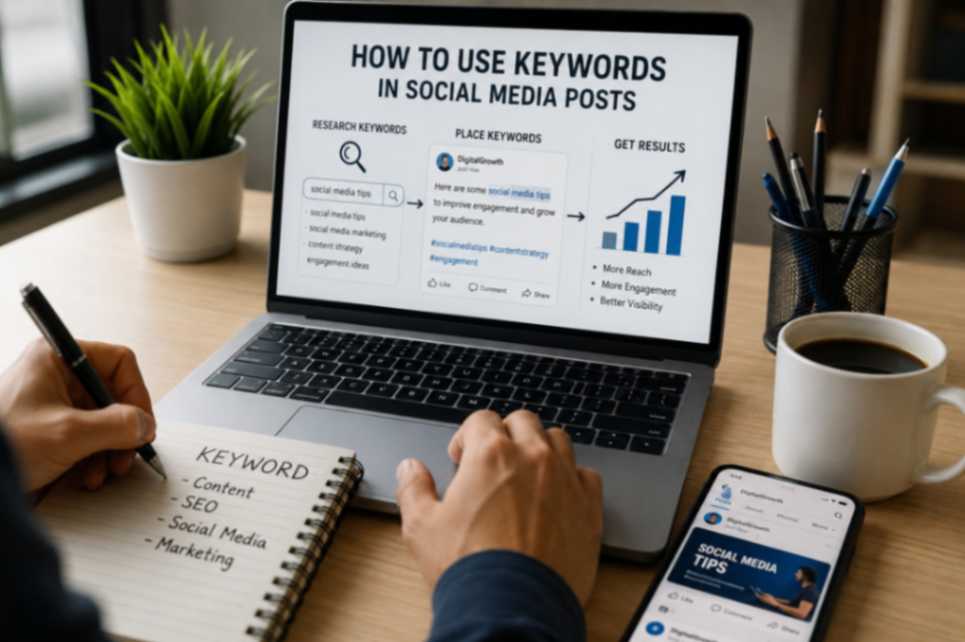
1. Why social media now work like search engines?
a. Almost, Social media search revolution is increasing rapidly. The industry survey show case that one in three users skip search engines and switch to social media to search.
b. Nearly, 90% of Gen Z and 84% of Millennials uses social media platform for search instead of traditional search engines.
c. Here comes the reality, the trendy, engagement and shares gives authority, builds E-E-A-T, leverage the brand visibility. This is the reason for business people to shift to social media.
d. Next, Sprout’s Q2 2025 Pulse Survey says 37% of consumers use social media as search engines to do their product search. This influences social media algorithm to set the rules for optimization. The optimization like trendy content that matches the audience intent drives the engagement.
1.1 Social Media Keywords
a. In practice, keywords on social media is not more into the ranking position for exact users search terms.
b. Fundamentally, Keyword terms mostly conversational, casual and relevant to emerging trends. For example, if an user’s intent search term is to get information about doodle art , the social media will display the trendy doodle art work.
c. Further more, the types of social media keywords are branding keywords, direct keywords, niche/longtail keywords and trending/community keywords. The usage of these keywords types in balance helps to reach the social media presence.
2 . What is Hashtag – social media post
a. We will see what is Hashtag – A hashtag is a phrase or word that comes after the symbol ” # “. This symbol categorizes the content revolves in the social media platform and connects the users across the social media.
b. Next we want to know the history of Hashtag – In 2007, Chris Messina created the first hashtag debuted on X platform to form connectivity layer that is common to all platforms.
c. To put it simply, you should know the uses of hashtags – to enhance reach, nourishment campaign, revolutionary movements, to build community and driving users to your content.
d. Finally moving to types of hashtag are branded hashtags, trending hashtags, community hashtags, campaign hashtags, and location and event hashtags.
3. Why social media keywords replaces hashtag?
a. Firstly, social media platform upgrading to search engine is the reason for the shifting from hashtags to keywords.
b. To make it simple, social media platform transition to search engine needs optimizing the keywords. Whereas, Hashtag are great at content categorizing.
c. Next, keywords help to drive user to your content with high intent who are looking for solution. Hashtag helps connect users who belong to community(e.g. # keywords.)
d. At its core, you should naturally integrate the keywords in the caption, bio , Alt image text description, titles and text overlays. The hashtags requires adding the # symbol in front of the phrase that is placed in the end of the post or in the first comment.
e. Finally moving to the impact of social media algorithm for keywords and hashtag :
i. Keywords – Using relevant keywords when creating your posts helps the AI algorithm understand your topic. Once the AI algorithm analyzes the entire context of the content – visuals, caption text, title overlay etc., it can push your post forward to achieve the maximum user reach.
ii. Hashtags – Today, the overall impact of hashtags is much lower because it helps AI algorithm to drive the content to the user who belongs to the community under category.
Source for keywords use in social media posts
This guide is backed by research from digital experts, including insights on social SEO by John Paul Hernandez at Sprout Social and modern 2025-2026 platform strategies from Collab Design Co.
Tips – To use keywords in social media post.
a. A successful social media post requires a balanced mix of both keywords and hashtags. However, every platform has its own rules for using them properly.
b. For instance, on Instagram, you should only use 4 to 5 relevant hashtags per post.
c. Therefore, overusing hashtags or stuffing your captions with excessive keywords can easily trigger the algorithm to flag your content as spam.
FAQs -Social media Keywords
Q1: How do I use keywords effectively on Instagram? – social media post
A: On Instagram, the AI algorithm scans multiple locations to understand your topic. You should place your primary keyword in your Name Field (next to your username) e.g., Sarah | Freelance Digital Marketer and naturally drop relevant search terms into your bio description. For individual posts, naturally integrate your 3 to 6 keywords into the first two lines of your caption, add descriptive Alt text to your images, and include them as text overlays on your Reels.
Q2: How do I use keywords on Facebook? – social media post
A: When you publish a Facebook post, the algorithm scans the text immediately to organize and share it. To maximize your reach, you should put your main keyword right at the beginning of your caption—within the first 150 characters. Additionally, make sure to naturally weave relevant search terms into your photo descriptions and use clear keyword text overlays on any videos you upload to your feed.
Q3: How do I use keywords on LinkedIn posts? – social media post
A: When you post your content on LinkedIn, the algorithm analyzes the content to show it to professionals interested in your industry.To get the best visibility, put your main keyword right in the first sentence or two of your post caption.You should also weave relevant industry search terms naturally into the body of your text, and write clear, keyword-rich titles for any articles or documents you share on your feed.
Q4: How to use keywords in YouTube videos?
A: When you upload a video, the YouTube algorithm analyzes your text to understand what your video is about. To get the most views, put your main keyword phrase strategically in your Channel Settings, right at the beginning of your video title and within the first two sentences of your description box. Because, YouTube also listens to what you say, speaking your keywords out loud during the video helps the platform share it with the right audience.